Demystifying Mechanical Switches
Understanding the mechanics beneath your keycaps is the first, and most vital, step in achieving the ultimate typing or gaming experience. Force curves, materials, and internal geometry dictate everything.
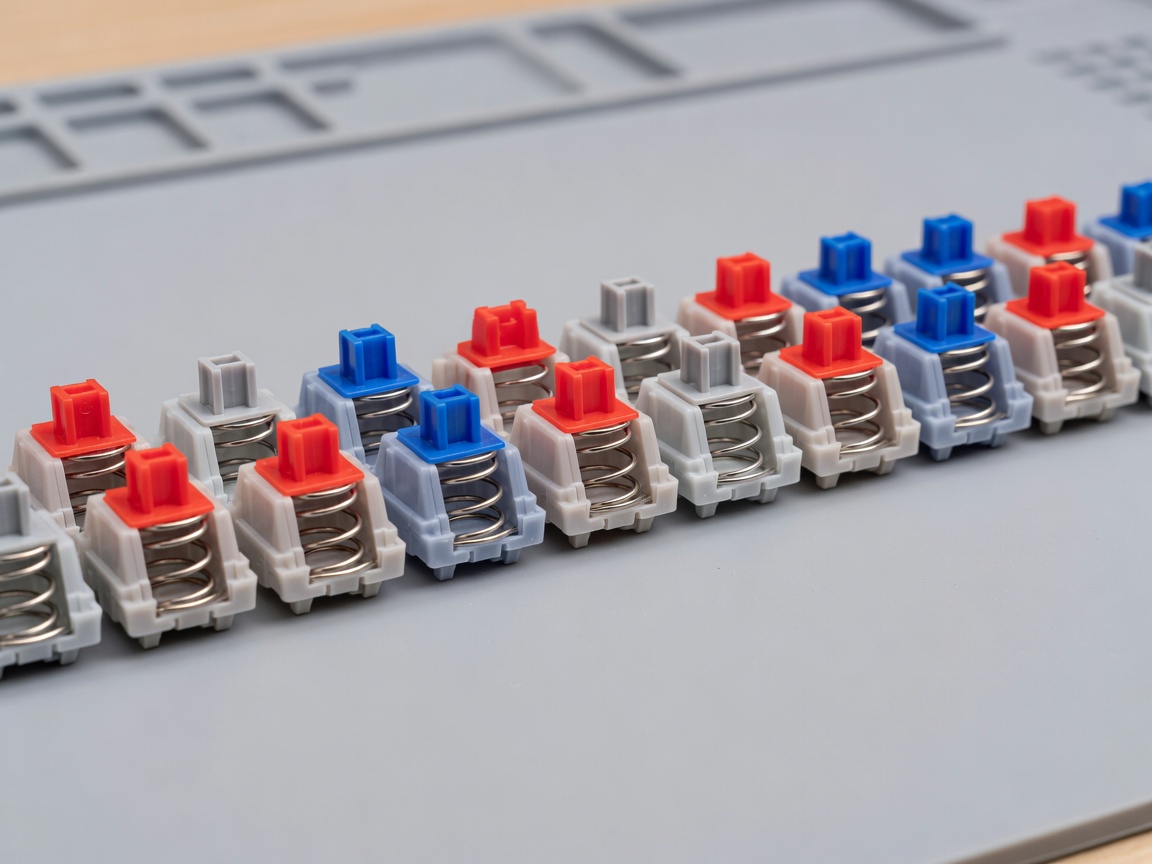
The Three Core Archetypes
Mechanical switches are almost universally categorized by their feedback mechanisms into three primary archetypes: Linear, Tactile, and Clicky. Every boutique switch on the market is ultimately a variation or refinement of these three foundational designs.
Linear Switches
Linear switches offer a smooth, uninterrupted keystroke from the moment the key is pressed until it bottoms out against the housing. Because the stem travels straight down without brushing past a tactile leaf bump, there is no feedback to indicate when the electrical contact has been made (actuation). Gamers heavily favor linear switches—such as classic Cherry MX Reds or Gateron Yellows—because the lack of a tactile bump allows for rapid, frictionless double-tapping and immediate response times. The primary metric for evaluating a linear switch is "smoothness," which builders often enhance further with specialized lubricants to eliminate plastic-on-plastic scratchiness.
Tactile Switches
Tactile switches are designed to provide physical feedback precisely at the actuation point. The plastic stem features small protrusions (legs) that interact with a metallic leaf spring inside the housing. As you press the key, resistance builds until the legs clear the leaf, resulting in a distinct "bump" felt through the finger. This lets typists know the keystroke has registered without needing to press the key all the way down. Iconic examples include the legendary Holy Pandas, known for their large, rounded tactile bumps, or Cherry MX Browns, which feature a much lighter, subtle bump.
Clicky Switches
Clicky switches take the tactile concept a step further by introducing an audible click mechanism. Originally designed to mimic the loud, reassuring sound of classic typewriters, these switches ensure you both feel and hear every actuation. Modern variations, such as the Kailh Box Jade, utilize a thick click-bar—a small metal wire that the stem snaps past on the downstroke and upstroke. While incredibly satisfying for the individual typist, clicky switches are famously disruptive in shared office environments or over open microphones.
Anatomy of a Switch
Beyond the core archetype, a switch's character is defined by its individual components. A standard mechanical switch is comprised of four main parts:
- Top Housing: Secures the stem and dictates the sound of the switch when the key returns to its resting position (the top-out sound). Often made from Polycarbonate (PC) for a higher-pitched sound or Nylon for a deeper, muted tone.
- Bottom Housing: Contains the metallic contact leaves and guides the spring. It is the primary contributor to the bottom-out sound.
- Stem: The moving component that connects to your keycap. The geometry of its legs determines tactility, while the length of its central pole can shorten the total travel distance of the switch. Extended pole stems create a sharper, louder bottom-out sound.
- Spring: Determines the force required to press the key. Springs are measured by their bottom-out force (e.g., 62g, 67g) and come in various lengths and stages (single-stage, dual-stage, complex) to alter the resistance curve during the press.
Materials and Acoustics
The materials chosen by switch manufacturers dramatically alter both the acoustic signature and the friction coefficient. Polyoxymethylene (POM) is heavily utilized for stems due to its self-lubricating properties, reducing friction against the housing walls. In recent years, proprietary plastic blends like UHMWPE (Ultra-High-Molecular-Weight Polyethylene) have been introduced to create switches with exceptionally low friction coefficients, resulting in a hyper-smooth feel straight from the factory.
When selecting a switch, consider not just your typing speed, but the acoustic profile you want to achieve. A heavy, tactile switch made of Nylon will yield a deep, thocky sound, while a lightweight linear switch in a full Polycarbonate housing will produce a brighter, clacky profile. The beauty of custom keyboards is that if a factory switch doesn't meet your exact specifications, you can open them up, mix components from different switches (creating "Frankenswitches"), and tune them precisely to your liking.