Understanding Ergonomic Keyboards
Prolonged typing on traditional horizontal staggered layouts is a leading cause of wrist fatigue and repetitive strain injuries. Discover how split designs, columnar staggering, and tenting angles align hardware with human physiology.
The Problems with Traditional Layouts
The standard rectangular keyboard layout we use today is a historical artifact inherited from manual typewriters. To prevent mechanical linkage arms from jamming in early typewriters, keys were arranged in diagonal, staggered rows. Furthermore, forcing two hands into a tight space directly in front of the chest forces the wrists to bend outward, an unnatural position clinically referred to as ulnar deviation.
Coupled with pronation—the act of holding the palms completely flat against the desk surface—traditional typing creates sustained muscular tension through the forearms, wrists, and shoulders. Ergonomic keyboards re-engineer the placement of switches to neutralize these damaging postures.
Split Keyboard Architecture
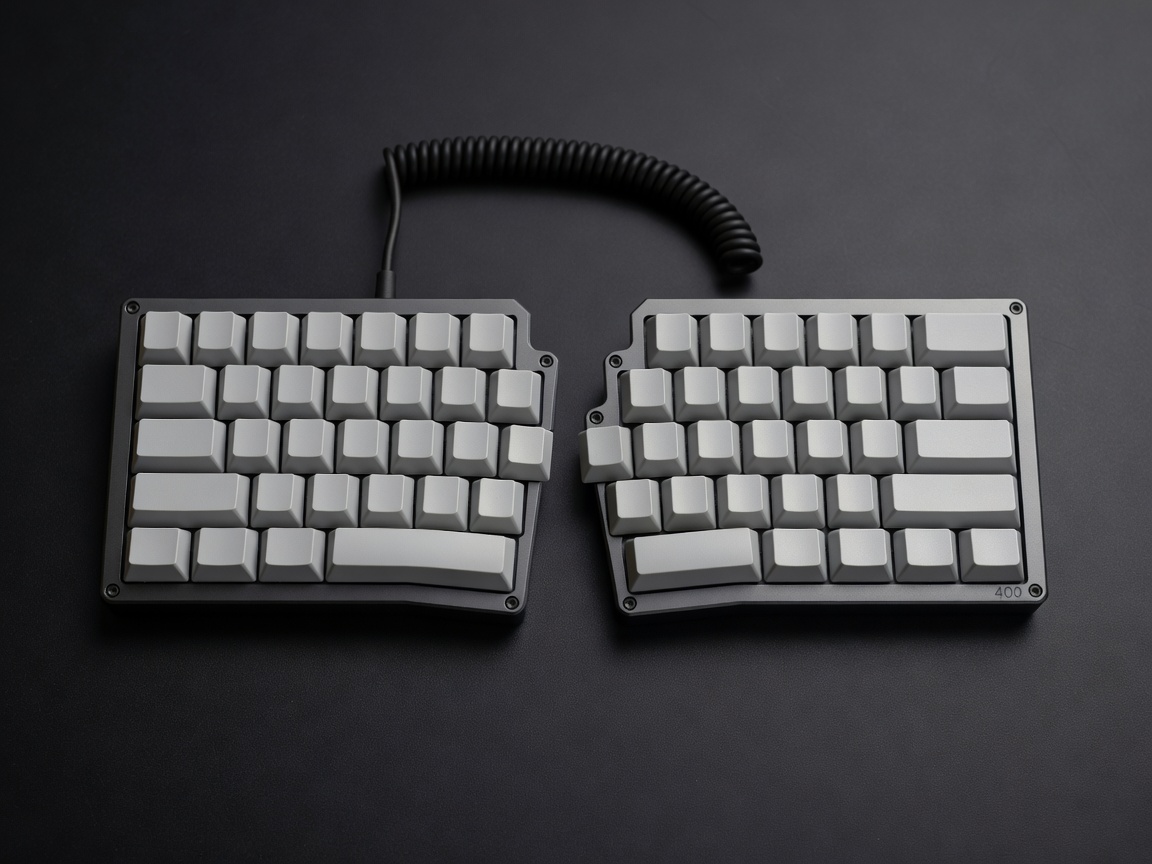
The most immediate and effective ergonomic intervention is physically splitting the keyboard into two separate halves. By uncoupling the left and right hands, users can position each half exactly at shoulder width. This eliminates the necessity of pinching the shoulders inward and bending the wrists outward. Split keyboards can range from unified boards that simply angle the left and right sides away from each other (like the popular Alice layout) to completely discrete halves connected by an umbilical cable (such as the Lily58 or ErgoDox).
Ortholinear and Columnar Staggering
Replacing the arbitrary diagonal stagger of classic layouts is another cornerstone of advanced ergonomic design.
- Ortholinear Layouts: In a purely ortholinear board, keys are arranged in a strict, uniform grid pattern, much like a spreadsheet or a numeric keypad. This ensures that a finger moving upward or downward travels in a perfectly straight vertical line, reducing awkward side-stepping motions.
- Columnar Staggering: Recognizing that human fingers are not uniform in length—the middle finger is significantly longer than the pinky—columnar staggering adjusts the vertical placement of columns to match the natural arc of the fingertips. This means the column designated for the middle finger sits higher on the board than the column for the pinky, allowing the hand to rest in a relaxed, curved posture.
Thumb Clusters
On a traditional keyboard, the strongest and most dexterous digit—the thumb—is largely relegated to mashing a massive, heavy spacebar. Ergonomic designs reclaim the thumb’s potential by replacing the giant spacebar with a dedicated cluster of smaller keys, curved to match the thumb's natural sweeping radius. A thumb cluster allows you to offload heavily used functions like Enter, Backspace, Shift, or Layer toggles away from the weaker pinky fingers, dramatically increasing typing efficiency and reducing pinky strain.
Tenting and Negative Tilt
Fixing layout geometry is only part of the equation; addressing pronation requires vertical adjustment.
Tenting involves raising the inner edges of a split keyboard (the sides closest to the center line of the body) so that the hands rest at an angle, similar to how they naturally fall when resting by your side. Aggressive tenting can approach entirely vertical orientations, ensuring the radius and ulna bones in the forearm do not cross and create tension. Negative tilt involves raising the front edge (closest to the user) higher than the back edge, which prevents users from bending their wrists upward (wrist extension) while typing.
Transitioning to an ergonomic keyboard involves a substantial learning curve, as muscle memory tied to diagonal staggering and pinky-heavy modifiers must be retrained. However, the long-term dividend in joint health, sustained comfort, and typing longevity makes the investment profoundly worthwhile for professionals who live at their desks.